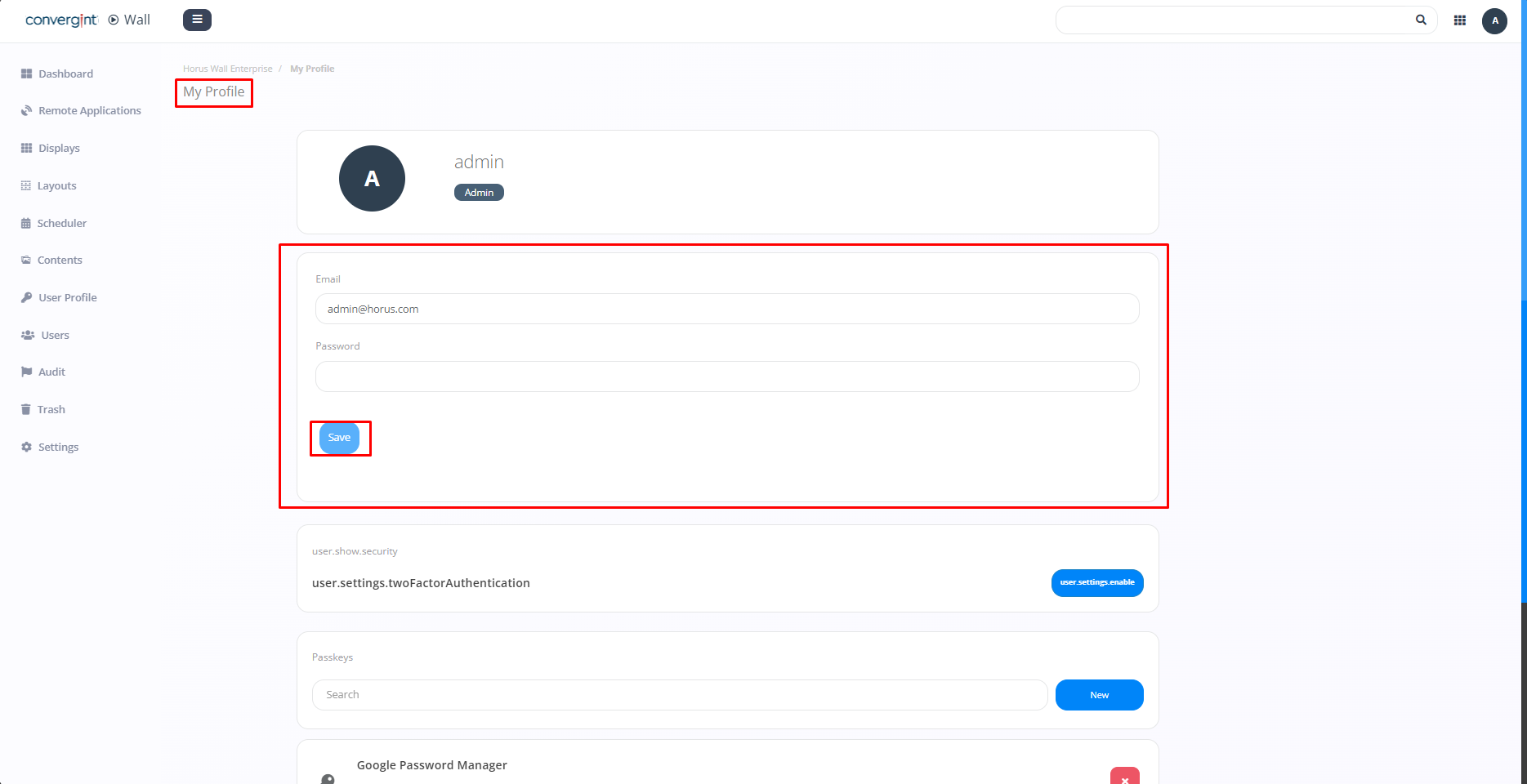
Changing User Data
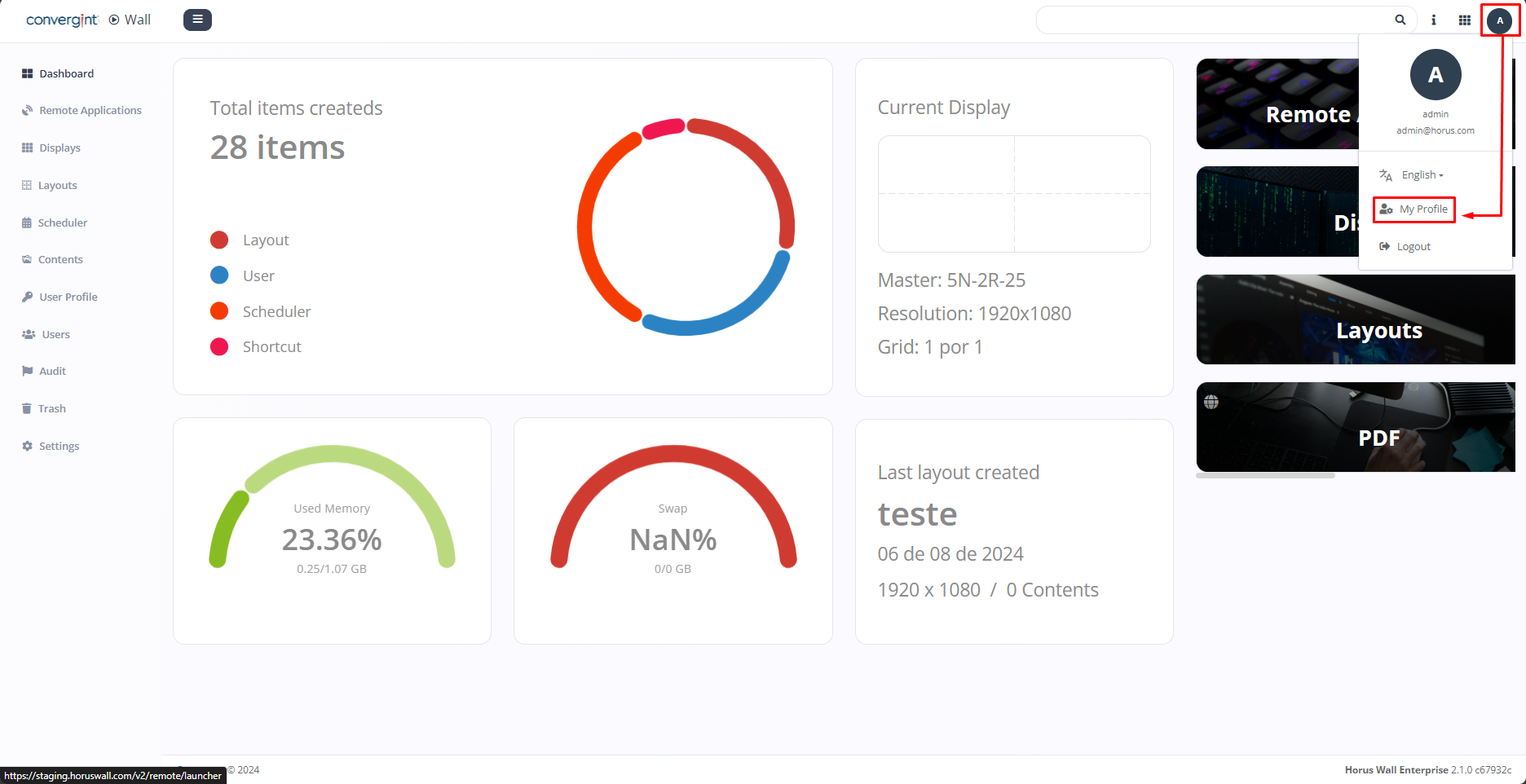
The first step to change the logged-in user’s data is by accessing the "Dashboard" tab. Once you are on the tab, click on the "user" icon, then click on "My Profile." By accessing this option, it becomes possible to verify the previously assigned data.
When accessing the previously mentioned option, change the data you wish to update. After that, simply click on "Save" for the changes to be permanently recorded.